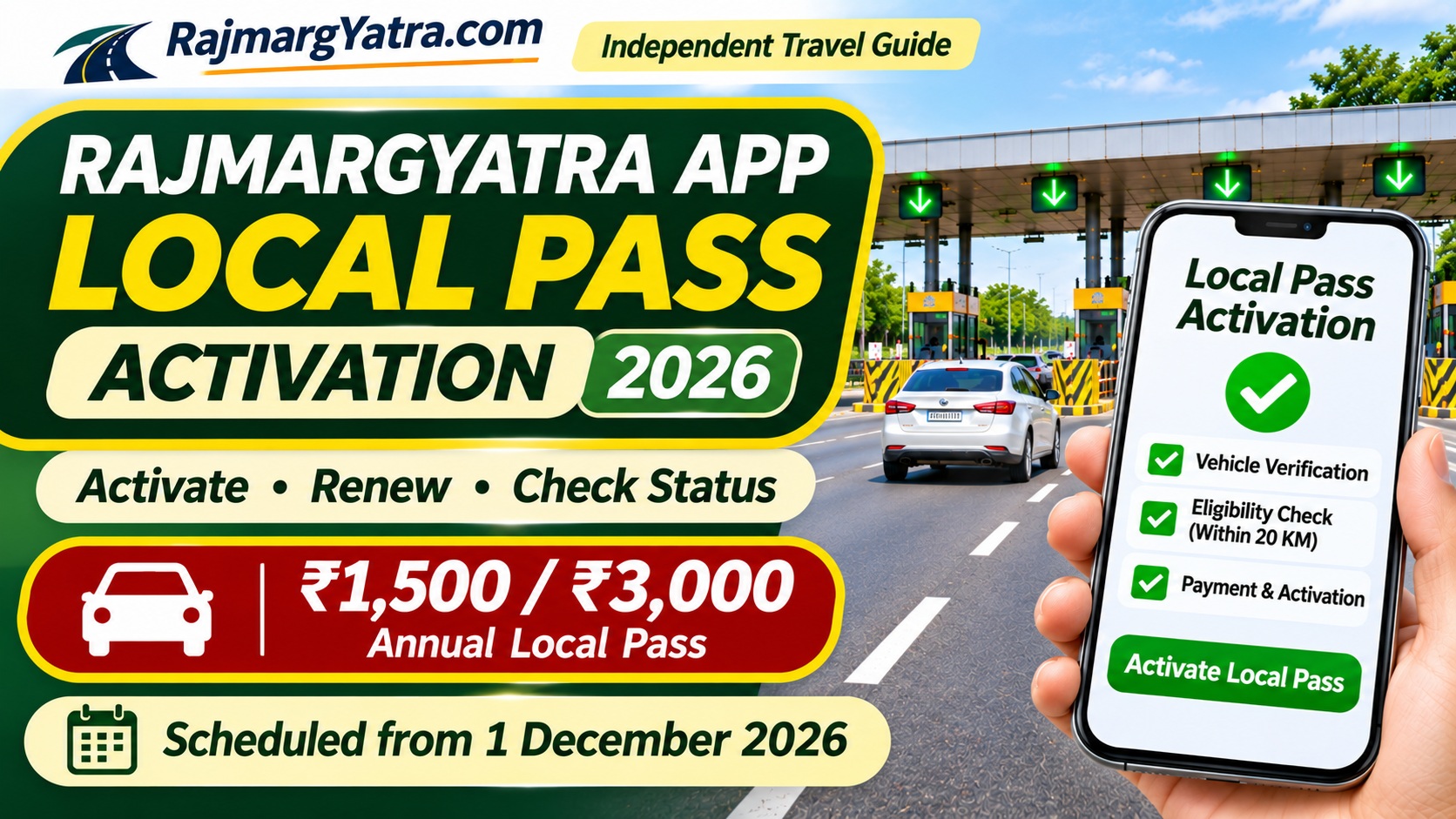
FASTAG | LOCAL PASS ACTIVATION GUIDE
RajmargYatra App Local Pass Activation 2026: Status, Renewal and Error Fixes
Learn how to activate your Local Pass, check payment status, switch to the annual scheme and resolve FASTag activation problems.
Quick Answer
To activate a FASTag Local Pass through the official RajmargYatra app, select the Local Pass service, choose your toll plaza, complete vehicle and residential eligibility verification and pay the applicable fee. Check your pass status before travelling. The new ₹1,500 and ₹3,000 Annual Local Pass is scheduled to become available through the app on 1 December 2026. If payment has already been deducted but activation is pending, avoid paying again and contact official support.
Latest Update: 27 November 2026
- The monthly Digital Local Pass is already available at participating toll plazas.
- The new Annual Local Pass became available at eligible toll plazas on 1 November 2026.
- Annual Local Pass availability through the RajmargYatra app is scheduled for 1 December 2026.
- An official activation time for the new Annual Local Pass has not been confirmed.
Have you purchased a FASTag Local Pass but are unsure whether it has been activated? Are you receiving a payment pending message, eligibility verification error or an inactive pass notification in the RajmargYatra app?
The digital Local Pass facility allows eligible residents to obtain toll concessions for a nearby National Highway toll plaza.
With the introduction of the annual Local Pass option, motorists can choose a longer-term arrangement instead of renewing an eligible monthly pass repeatedly.
However, completing payment and confirming activation are different steps. Motorists should verify that their pass is active for the correct vehicle and toll plaza before relying on the concession.
RajmargYatra App Local Pass Activation: What You Need to Know
The National Highways Authority of India introduced digital Local Pass services through the official RajmargYatra mobile application in July 2026.
The digital process uses verified government records to establish the applicant’s eligibility and associate the concession with the appropriate FASTag and vehicle.
Applicants should ensure that their vehicle information and residential records are accurate before completing payment.
Local Pass Activation Requirements
- An eligible private, non-commercial vehicle.
- A valid and functional FASTag linked to that vehicle.
- A verified residential address within the prescribed 20 km radius.
- An eligible National Highway toll plaza.
- Successful completion of the required verification and payment.
For detailed eligibility information, read our guide to FASTag Local Pass 2026 online applications.
How to Activate Local Pass in RajmargYatra App
Official FASTag Local Pass Service
Check the participating toll plaza directory and access information about digital Local Pass services.
Visit Official NHAI Local Pass WebsiteExternal government website. RajmargYatra.com does not activate passes or collect payments.
Step 1: Update the Official RajmargYatra App
Open Google Play Store or Apple App Store and check whether an update is available for the genuine NHAI RajmargYatra application.
New features may require the latest application version.
Step 2: Select the Local Pass Option
Open the application, complete any required authentication and select the Local Pass service.
Do not confuse this option with the separate National Annual Pass service.
Step 3: Select the Correct Toll Plaza
Choose the toll plaza that you regularly cross. Check its name and location carefully before proceeding.
Local Pass benefits are restricted to the selected plaza.
Step 4: Enter Your Vehicle Registration Number
Enter the registration number of the vehicle associated with your FASTag.
Verify that the number matches your Registration Certificate and FASTag issuer’s records.
Step 5: Complete DigiLocker and Residential Verification
The digital Local Pass system retrieves relevant address and vehicle information through consent-based government database integration.
Complete the requested DigiLocker authorisation and address verification.
Geographic verification determines whether the registered residential address satisfies the applicable distance requirement.
Step 6: Choose Your Available Local Pass Plan
Review the Local Pass options available for your selected plaza.
- Monthly Local Pass, where available.
- Annual Concessional Local Pass, once the announced digital feature becomes available.
Step 7: Complete the Official Payment
Review the vehicle number, toll plaza, selected plan and payment amount.
Complete payment using an accepted method and retain the acknowledgement.
Step 8: Verify Successful Activation
Return to the Local Pass service and review the available pass details or payment acknowledgement.
Confirm that the concession has been issued for the correct vehicle and toll plaza, together with its applicable validity period.
If the application does not display a clear activation status, contact official support or the relevant toll plaza before making another payment.
The annual application screens and exact activation workflow may change following the scheduled December 1 launch.
RajmargYatra Local Pass Activation Charges 2026
| Pass Type | Applicable Fee | Coverage |
|---|---|---|
| Monthly Digital Local Pass | From ₹350 | Selected plaza for 30 days |
| Annual Local Pass outside municipal limits | ₹1,500 | Selected plaza for one year |
| Annual Local Pass within municipal limits | ₹3,000 | Selected plaza for one year |
| National FASTag Annual Pass | ₹3,075 | Eligible NH and NE plazas, up to 200 crossings or 12 months |
The monthly starting price is displayed by the official Digital Local Pass portal. The payable monthly amount should be verified for your specific plaza.
The annual Local Pass amount depends on the toll plaza’s municipal classification, not merely the applicant’s residential location.
How Long Does RajmargYatra Local Pass Activation Take?
Do Not Confuse Local Pass and National Annual Pass Activation Times
NHAI has stated that the separate National FASTag Annual Pass is normally activated within two hours after successful payment and verification. This timeframe should not automatically be applied to the new Annual Local Pass.
The digital monthly Local Pass application process is designed to be completed quickly when verification succeeds.
However, a specific guaranteed activation period for the new Annual Local Pass has not been established in the official announcement.
Activation may depend on the successful completion of eligibility checks, payment confirmation and processing by the relevant systems.
How to Check RajmargYatra Local Pass Activation Status
- Open the official RajmargYatra application.
- Access the Local Pass service using your original account.
- Locate the relevant vehicle and selected toll plaza.
- Review the available pass details and payment confirmation.
- Confirm the pass validity and activation information.
The wording of status messages may vary depending on the application version. The following table explains common situations motorists may encounter.
| Pass Situation | Meaning | Recommended Action |
|---|---|---|
| Active | Concession has been issued | Verify validity and selected plaza |
| Pending | Processing may be incomplete | Check verification and payment |
| Failed | Application or payment unsuccessful | Identify the error before retrying |
| Expired | Validity period has ended | Check available renewal options |
| Deactivated | Previous concession is no longer active | Contact authorised support |
These descriptions are illustrative explanations, not a confirmed list of official application status labels.
Local Pass Activation Checklist
Use the following checklist before travelling through your selected toll plaza.
Check Your Local Pass Readiness
0 of 6 checks completed.
This independent checklist does not access NHAI records or verify actual activation.
How to Convert Monthly Local Pass to Annual Local Pass
Existing monthly Local Pass holders may migrate to the new annual option if they meet the applicable eligibility requirements.
NHAI’s implementation guidance dated 31 October 2026 provides for migration through the existing renewal process from 1 December 2026 once the active monthly pass expires. Manual processing at the respective toll plaza is also предусмотрed.
Recommended Renewal Process
- Check the expiry date of your existing monthly Local Pass.
- Confirm that your FASTag remains functional.
- Access the official Local Pass renewal service.
- Choose the annual option when it becomes available.
- Complete any additional eligibility verification.
- Check and pay the applicable annual fee.
- Confirm the validity of the newly issued pass.
If no previous Local Pass record is available in the acquiring bank’s system, NHAI guidance provides for eligibility verification at the toll plaza or through the existing digital monthly Local Pass module.
Do not assume that unused monthly validity will automatically be refunded or transferred to the new annual pass.
Why Is My Local Pass Not Activated in RajmargYatra App?
Activation difficulties may arise at different stages of vehicle verification, residential eligibility checks or payment processing.
| Possible Problem | Suggested Solution |
|---|---|
| FASTag inactive or blacklisted | Check status with issuing bank |
| Vehicle registration mismatch | Verify RC and FASTag records |
| Residential verification failed | Review verified address information |
| Payment pending | Check original transaction status |
| Annual option unavailable | Check rollout schedule or contact plaza |
| NPCI server error | Retry later and verify FASTag independently |
| Local Pass record unavailable | Contact the relevant toll plaza |
How to Fix RajmargYatra Local Pass Activation Problems
Fix 1: Check Your FASTag Status
Confirm that the FASTag associated with your vehicle remains active and functional.
If your tag is blacklisted or otherwise restricted, contact your issuing bank to resolve the underlying problem.
Read our guide to FASTag status check using vehicle number.
Fix 2: Verify Vehicle and Address Records
Check whether the vehicle registration number and residential information provided during the application are correct.
Outdated or inconsistent records may prevent successful eligibility verification.
If corrections are required, use the appropriate official record-update service.
Fix 3: Check the Selected Toll Plaza
Confirm that the toll plaza associated with your application is the one you intend to use.
Not every toll plaza supports digital applications, and certain road configurations are excluded from the new annual concession.
Fix 4: Update and Restart the App
Install any available update, close the application completely and restart it using a stable internet connection.
Android users may also try clearing temporary application cache files.
These steps can help with local software problems but cannot resolve an unavailable backend service.
Fix 5: Resolve NPCI Server Errors
If the application cannot retrieve FASTag information, retry after a short interval.
A server error does not automatically mean that your FASTag is invalid.
For further troubleshooting, read NPCI Server Down RajmargYatra: Error Fix Guide.
Local Pass Payment Successful but Not Activated
Do Not Make Another Payment Immediately
If ₹1,500, ₹3,000 or the applicable monthly pass fee has already been deducted, verify the original payment before attempting another purchase.
Follow these steps:
- Check your bank account or UPI payment history.
- Save the transaction reference number.
- Record the payment date, amount and selected toll plaza.
- Review your official Local Pass details.
- Register a complaint through MargMitra or contact the relevant toll plaza if activation remains unresolved.
Refund eligibility must be determined under the applicable Local Pass conditions. A fixed automatic refund period should not be assumed.
FASTag Money Deducted Despite Active Local Pass
If ordinary toll charges are deducted while you believe your Local Pass is active, investigate the transaction before assuming that the deduction is incorrect.
- Check whether the transaction occurred at the covered toll plaza.
- Verify that the pass was valid on the transaction date.
- Check whether the vehicle matches the pass registration.
- Save the deduction message and transaction reference.
- Ask the relevant toll plaza and FASTag issuer to investigate.
Do not attempt to bypass a toll barrier while the matter remains unresolved.
For related problems, read our FASTag duplicate deduction and refund guide.
Local Pass Renewal After Expiry
Local Pass holders should record their pass expiry date and check the available renewal options before their next journey.
Once the applicable concession expires, ordinary toll charges may resume.
Monthly pass holders who qualify for the annual scheme can review the new annual option during renewal.
Before renewing, confirm that your vehicle, FASTag and residential eligibility remain valid.
How to Raise a Local Pass Activation Complaint
The official RajmargYatra application includes the MargMitra Help Centre, which provides assistance with highway services, toll payment problems and pass-related enquiries.
Register a Complaint Through MargMitra
- Open the official RajmargYatra app.
- Access the MargMitra Help Centre.
- Describe the Local Pass activation problem.
- Provide the relevant vehicle and toll plaza information.
- Include the payment reference where applicable.
- Register the grievance and retain the complaint reference.
- Use the available complaint tracking facility to monitor its progress.
Official National Highways Helpline
Local assistance: Authorised office of the selected toll plaza.
Digital assistance: MargMitra Help Centre within the official application.
Official website: rajmargyatra.nhai.gov.in
Never provide an OTP, UPI PIN, banking password or complete payment card details to anyone offering unofficial pass activation services.
Sample Local Pass Activation Complaint
Subject: FASTag Local Pass Payment Completed but Activation Pending
Dear Support Team,
I have applied for a FASTag Local Pass for an eligible toll plaza through the official RajmargYatra service. My payment has been completed, but I am unable to confirm successful activation.
Please investigate the application and confirm its current status.
Vehicle Registration Number:
Toll Plaza Name:
Pass Type:
Payment Amount:
Payment Date:
Transaction Reference:
Error Message, if any:
Kindly confirm whether the pass has been activated or whether further action is required.
Thank you.
Frequently Asked Questions
1. How do I activate my Local Pass in RajmargYatra?
Choose the Local Pass service, select your plaza, complete eligibility verification and payment, and confirm successful issuance through the official service.
2. When will the Annual Local Pass become available in the app?
The Government announced 1 December 2026 as the scheduled date for annual Local Pass availability through the official RajmargYatra application.
3. Is there a separate Local Pass activation fee?
The official announcement specifies annual subscription fees of ₹1,500 or ₹3,000. It does not establish a separate activation charge. Review the authorised checkout before paying.
4. Does Local Pass activation take two hours?
The two-hour activation guidance relates to the separate National FASTag Annual Pass. A guaranteed activation timeframe for the new Annual Local Pass has not been confirmed.
5. Can I activate a Local Pass on my existing FASTag?
Yes, provided your vehicle, residence, selected plaza and functional FASTag meet the applicable eligibility conditions.
6. Why is my Annual Local Pass option not showing?
The annual online feature is scheduled from December 1, 2026. Check the rollout status, available app updates and eligibility of your selected plaza.
7. Can I convert my monthly Local Pass to an annual pass?
Eligible existing holders can migrate through the renewal procedure after the active monthly pass expires, subject to official implementation arrangements.
8. Is the Local Pass valid at multiple toll plazas?
No. The concession applies to the specific eligible toll plaza associated with the pass.
9. Can I activate a Local Pass without a functional FASTag?
No. A valid and functional FASTag is a requirement under the scheme.
10. What should I do if payment is deducted but the pass is inactive?
Retain your transaction reference and contact official support. Verify the original transaction before attempting another payment.
11. Does RajmargYatra.com activate Local Passes?
No. RajmargYatra.com is an independent information website. Applications and activation are handled only through authorised official services.
Official Sources
- Official Digital Local Pass Portal and Plaza Directory
- Government Announcement on the Annual Concessional Local Pass
- NHAI Digital Local Pass and MargMitra Help Centre Announcement
- NHAI November 2026 Rajmaarg Publication
- Official FASTag Annual and Local Pass FAQs
Related FASTag Guides
- FASTag Local Pass 2026 Apply Online
- ₹3000 Toll Pass 2026: Revised Price and Rules
- FASTag Annual Pass Status Check
- How to Buy FASTag Annual Pass Online
- FASTag Blacklisted: Reasons and Solutions
- NPCI Server Down RajmargYatra Error Fix
- How to Check FASTag Balance
Final Takeaway
Successful RajmargYatra Local Pass activation requires verified eligibility, a functional FASTag and confirmed payment. The annual Local Pass is scheduled to become available through the official application on 1 December 2026. Always verify the selected toll plaza, vehicle registration and validity before travelling. For unresolved activation issues, contact MargMitra, the respective toll plaza or the 1033 National Highways helpline.
Editorial Information
Last updated: 27 November 2026
References: NHAI, Ministry of Road Transport and Highways, Press Information Bureau and NHAI Policy Circular No. 17.3.8/2026.
Read our Editorial Policy and Corrections Policy.
Independent Website Disclaimer
RajmargYatra.com is an independent highway and travel information website. We are not affiliated with, authorised by or endorsed by NHAI, NPCI, IHMCL, MoRTH or any government authority. We do not issue or activate toll passes, verify residential eligibility, access FASTag accounts or process payments. All applications, payments and account-specific enquiries must be completed through authorised official services.